
How to Download the Fun88 App for Android APK and iOS Safely
The Fun88 app brings the platform's full range of features to your phone, from sports betting to live casino, without opening a browser each time. Installation on Android and iOS differs slightly, but both finish quickly if you follow the right order. This guide walks through each step and highlights what to watch for to avoid installing fake apps.
Never installed a betting app on your phone before? The Fun88 download process isn't like a regular Google Play install — Android uses an APK file, iOS requires a trust step in system settings — but as long as you follow the right order, it's done in a few minutes.

Before you start, make sure your device has about 150MB of free storage. That's the minimum for the app to run smoothly, without lag or sudden crashes mid-session. Beyond storage, keep your connection stable during the download — a partial APK file will throw errors on install and you'll have to start over.
Preparing Your Device Before Downloading
The first key difference between Android and iOS is how the operating system handles installation files from outside the official store. On Android, the system blocks every APK not coming from Google Play by default. So the first step isn't downloading the file — it's unlocking install permissions. Go to Settings, choose Security, then turn on Allow installs from unknown sources. The option name sometimes varies by device — on Samsung it's called "Unknown sources," while some Xiaomi models put it under "Privacy." Find the right setting and enable it before moving on to any next step.
On iOS, there's nothing to switch on or off at this stage. iPhones and iPads handle apps outside the App Store through a system configuration profile — confirmation happens after the download, not before. iOS users can jump straight into the download step.
One rule for both platforms: only download the app from the official Fun88 homepage. The safest method is scanning the QR code provided on the site — this takes you directly to the correct file, without going through an intermediary link that could be swapped out. Typing the URL by hand increases the risk of a typo or landing on a clone site.
Step-by-Step Installation on Android and iOS
On Android: once install permissions are enabled, open Chrome or Samsung Internet, go to the official site and tap the APK download button. The file will land on your phone within seconds if your connection is solid. Open the downloaded file — the system will show a confirmation pop-up, tap Install and wait. The actual installation only takes a few seconds. Once done, the app icon appears on your home screen.
On iOS, the process follows a different path. Open Safari — not Chrome or any other browser — go to the official site and tap download. The system will ask you to confirm downloading the configuration profile to your device, so choose Allow. The next step is one iOS requires separately: go to Settings → General → VPN & Device Management, find the profile you just downloaded and tap Trust. The system will ask for your device passcode to confirm. Only after this step can the app actually be used — skipping the profile trust step is a common mistake that leaves the app showing on your screen but refusing to open.
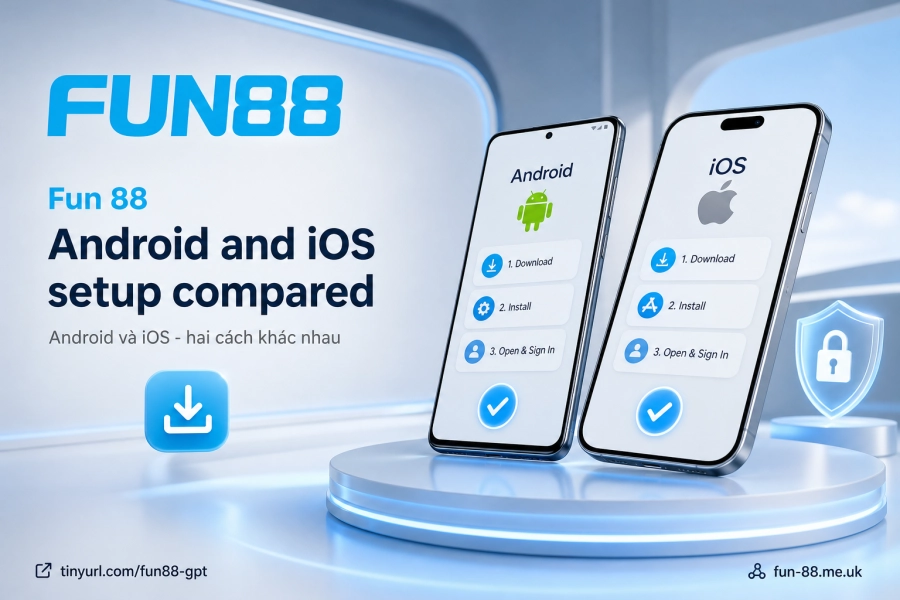
The table below summarizes the main differences between the two platforms:
| Criteria | Android | iOS |
|---|---|---|
| Installation format | APK file | System configuration profile |
| Preparation step | Enable installs from external sources | Nothing to prepare beforehand |
| Recommended browser | Chrome / Samsung Internet | Safari |
| Special confirmation step | None | Trust the profile in Settings + enter passcode |
Logging In and Setting Up Your Account for the First Time
Open the app for the first time and the login screen appears right away. Enter the username and password you registered on the platform — this information is shared between the website and the app, so there's no need to create a new one. If you don't have an account yet, the register button on the main screen will take you to the sign-up form.
Once you're logged in, open the security settings within the app and turn on biometric authentication — Face ID on iPhone or fingerprint on Android. This lets you open the app with your face or fingerprint instead of typing your password every time. More importantly, it adds another layer of protection: even if someone knows your password, they can't get into the app without the account owner's biometric data.
The app also sends push notifications when there are Deposit promotions or Sports betting odds updates. This works in the background — you don't need to open the app to know there's a new notification, unlike a browser where you have to check manually.
Updating and Securing the App After Installation
The Fun88 app doesn't update automatically through an app store like regular apps — new versions are released through the same original download channel. When a new version is available, the app usually shows an update reminder when you open it. Tapping the notification takes you to the page for the new download. Don't ignore update reminders for too long — patches often include bug fixes or feature adjustments.
On connection security, Fun 88 uses TLS/SSL encryption from 128 to 256-bit combined with IOVATION infrastructure. This encryption layer works at the connection level — data transmitted between the app and servers is encrypted before it leaves your device. Users don't need to configure anything extra; this protection runs in the background for every action.
The most important thing for long-term use is avoiding reinstalling from unknown sources. Fake apps are often spread through links in messages or lookalike websites copying the official design. Warning signs: an unusual APK file name, a download address that doesn't match the official domain, or an app asking for unusual permissions such as access to your contacts or messages. When you need to download again, go back to Fun88 to get the file from the original source. If you run into an installation problem with no clear cause, the support team is available 24/7 via live chat on the site — most issues are usually resolved in a single conversation.
Install correctly from the start, set up biometrics, and update when prompted — these three steps are enough to keep the app running smoothly and your account protected in the long run.