
How to Withdraw from Fun88 to Your Bank or E-Wallet Quickly in 30 Minutes
Withdrawing from Fun88 is simple once you know the requirements and follow the right order. This page covers the full process, from preparing your account and choosing a method to working through each step, checking results, and handling issues. It's built for first-time withdrawers.
Withdrawing from a betting site for the first time raises plenty of questions: what do you need to prepare, how should you fill in your details, and why does a withdrawal sometimes get stuck? This guide walks you straight through the real Fun88 withdrawal process, from the entry requirements to the final confirmation step.
Requirements and Limits You Need to Know Before Withdrawing
Before submitting a withdrawal, there are two things to check. First, your account must complete identity verification (KYC). This is the step where the betting site asks users to provide ID documents to confirm their real identity. Until it's done, withdrawal limits are usually capped or the request gets handled manually, which takes longer. Second, the receiving account details, whether a bank account number or an e-wallet phone number, must match the name registered on Fun88 exactly. If these two don't line up, the system will automatically reject the request.
As for processing time, Fun88 handles withdrawals in anywhere from 30 minutes to 2 hours, depending on the method and when you submit. Requests sent during business hours (roughly 8:00 to 17:00, weekdays) are usually processed faster because the operations team is on duty. Outside those hours or on weekends, it can take longer since requests wait in the queue for manual approval.
Fun88 supports withdrawals to all major local banks in Vietnam, including Vietcombank, BIDV, ACB and Techcombank, as well as the e-wallets Momo, ZaloPay and ViettelPay. There's also a prepaid phone credit option for players without a bank account, plus the international wallets Neteller and Skrill for users abroad.
| Method | Processing Time | Notes |
|---|---|---|
| Domestic bank | 30 minutes – 2 hours | Account name must match registered name |
| Momo / ZaloPay / ViettelPay wallets | 30 minutes – 2 hours | 24/7 transactions, OTP confirmation required |
| Prepaid phone credits | Processed in batches | Lower limits than other methods |
| Neteller / Skrill | Depends on international gateway | For international accounts |
Step-by-Step Withdrawal Process
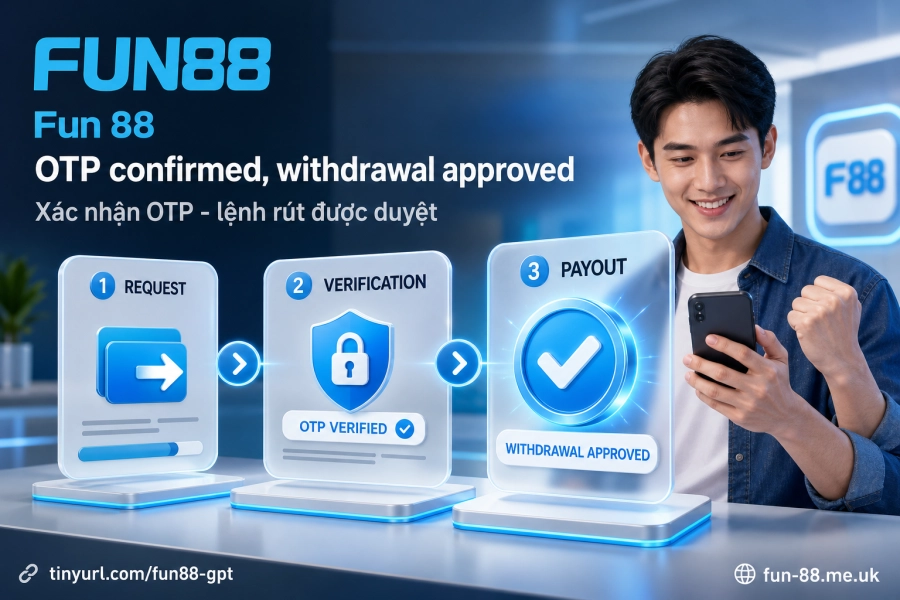
Step 1: Log in to your Fun88 account. Go to the main site at Fun 88 or open the mobile app via App. Once you're on the home screen, look for "Account" or "Wallet" in the top corner of the screen.
Step 2: Select "Withdraw". The screen will show your available methods: domestic bank, e-wallet, or prepaid phone credits. Pick the one you want to receive funds through.
Step 3: Enter the beneficiary details. For a bank, enter the account number, bank name and account holder name. For an e-wallet, enter the linked phone number. Double-check everything before moving on, because a wrong account number can't be recovered once the request is approved.
Step 4: Enter the amount you want to withdraw. If the amount is large, you may want to split it into several smaller requests to avoid hitting the receiving bank's automatic processing limits. This isn't mandatory, but smaller transactions often move through the automated queue faster.
Step 5: Confirm with an OTP or Level 2 password. The system will send an OTP to your registered phone number, or ask for your Level 2 password depending on your account settings. Enter the correct code to complete the request. Once confirmed, the transaction status will change to "Processing", meaning the request is now in the queue.
Reconciling and Checking Your Results
After your withdrawal status changes to "Processing", the next step is to monitor it in your transaction history. Each request displays a specific status: pending approval, processing, completed, or rejected. If two hours have passed since you submitted the request and it still shows "processing" with no funds in your account, it's time to investigate.
Start by rechecking the beneficiary details you entered, including the account number and account holder name, to make sure they match your actual bank records. Next, check whether your available balance on Fun88 is still sufficient after the withdrawal amount is deducted. If your account is still going through KYC verification, the request may be held for manual review, which will take longer than usual.
If the funds have arrived but the amount doesn't match the request, keep in mind that Fun88 does not charge fees on its end. However, your receiving bank or e-wallet may apply its own transaction fees. Keep your transaction ID so you can reconcile it if you need to contact support.
Handling Withdrawal Problems
A rejected withdrawal can have several common causes. If you see an error related to account details, check whether the account holder name at your bank exactly matches the name registered on Fun88, including accents and capitalization. If the error relates to limits, your account may not have completed KYC yet, or it may be subject to the wagering requirements from a promotion you claimed.
If the OTP doesn't arrive, check that the phone number linked to your account is still active, and look in your SMS spam folder in case the code was filtered. If you still don't receive it after retrying, contact support through live chat, which is the fastest channel for transaction issues.
For a withdrawal that has been stuck for a long time with no status update, have your transaction ID and submission time ready before contacting support. This information helps staff look up and resolve the issue much faster than a general description of the problem. You may also want to review Account security and Deposits to double-check your full transaction flow.
VIP members (Silver, Gold, Platinum, Diamond) enjoy higher withdrawal limits and dedicated account management. If you run into a withdrawal problem, this gives you a priority support channel instead of waiting in the general support queue. If you're not yet at VIP level, live chat is still the quickest option available.